Help support our coverage of local sports.


Excited to announce a NEW!! Section2Basketball.com feature that tracks shot attempts for teams & players. Users will have the ability to track their own team, their opponent or both teams. It's a valuable resource to show a team, visually, how they are performing on their shot selection. It's another way to bring accountability to your team and individual players.


Here's a how to set your team up.


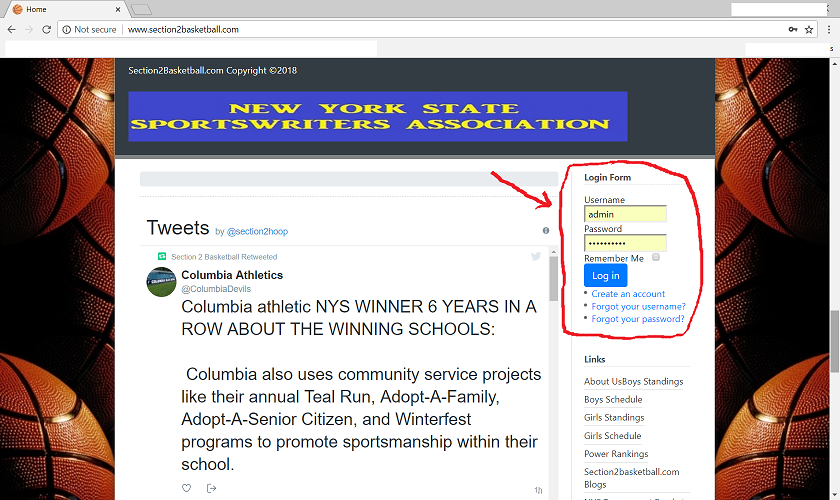
Step 1: Go to Section2Basketball.com and register a site username.


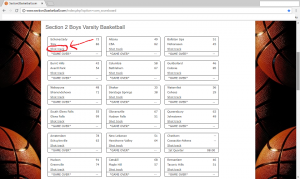
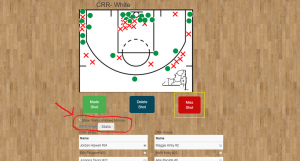
 Step 2: Once you are logged into your account, visit the scoreboard tab on the top of the home page, find the date of the game you are looking to track, and click Shot track for that game.


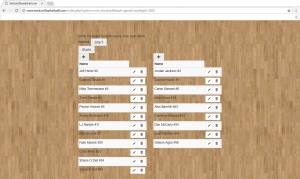
Step 3: Edit existing player information, or add more players/names. (The + tab will add more players for each team) After you are all set. Click start.


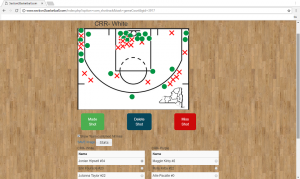
 Step 4: Begin tracking your shots. All you have to do is pick any player then select made or miss shot. If you make a mistake you can delete any shot that you'd like.


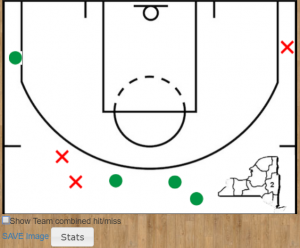
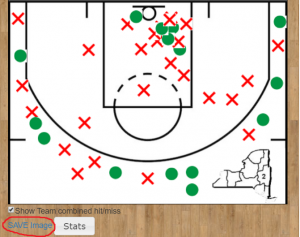
Step 5: Viewing different teams & players shot charts. You'll see a red arrow pointing to a check box "show team combined hit/miss". By leaving that checked you'll get the full team display of shots. By un-checking that box you'll be able to see just a specific player's shot chart.


(Team Shot Chart)


(Player Shot Chart)


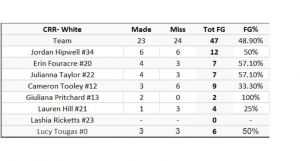
Step 6: Viewing the team/player stats and downloading the image. To view each team's made/miss and FG%, just click the white button labeled stats and this is what you'll see.


Step 7. Download image. You can click the save image button at anytime during your shot tracking process to download a team or player shot chart. (Save image is circled in red)


Users can start and stop the process of shot tracking at anytime! All selections are saved in the system and once you start tracking a game YOU are the ONLY user that can add/edit shot information. Users can also share the link for the public to view as well. They will be able to view the shot chart and stats but not be able to edit it.

Email any questions to This email address is being protected from spambots. You need JavaScript enabled to view it..

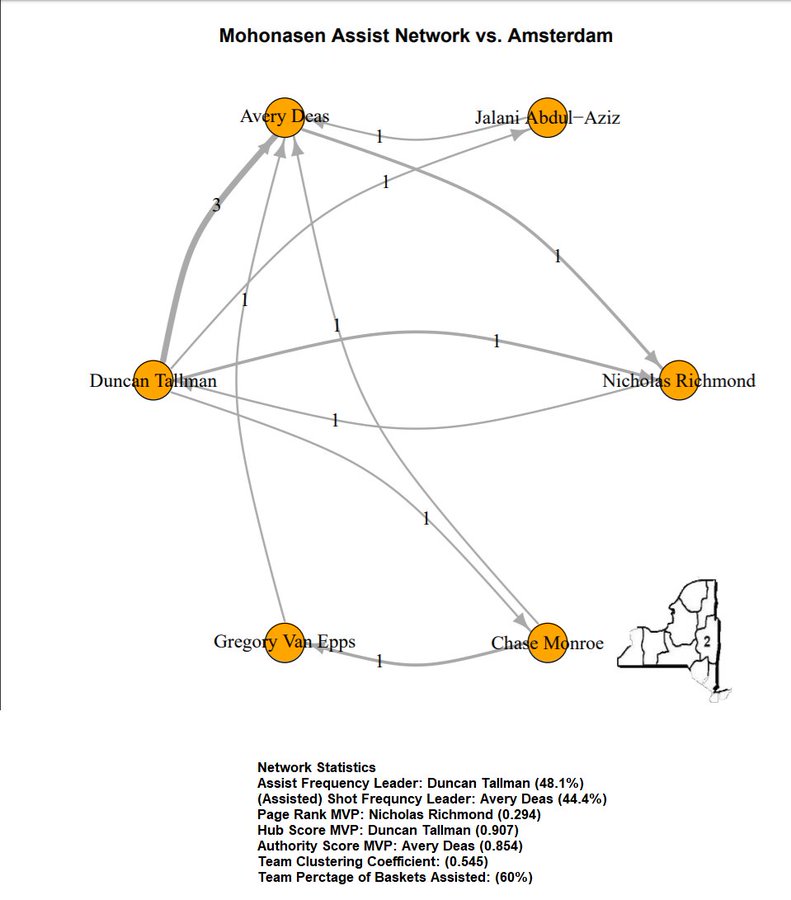
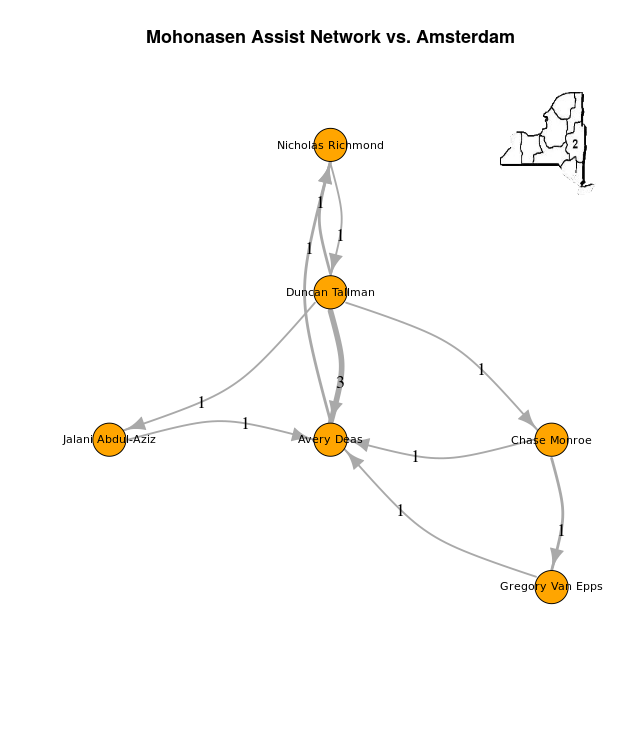
Section2Basketball.com, in partnership with Luke Benz of Yale Sports Analytics, is now able to offer custom team & player analysis based on all assisted and unassisted made baskets during a game. It’s called the Assist Network (pictured above & below are the outputs based on each team’s data).


Here’s the link to run the reports.


Section2Basketball.com@section2hoop


Excited to partner with Luke Benz @recspecs730 of the @YaleSportsGroup to create visual assist networks to help further analyze Section 2 Basketball teams. In the next day or so I'll post more info on how to create the charts & what the data represents.https://lbenz730.shinyapps.io/section_2_basketball_networks/ 


Information on what the assist networks represent, what data is necessary to create them and how it’s done.

  • The Assist Networks show which players during the game had assists and who they setup with those passes. Those assists are represented by arrows OUT of the player’s circle. In turn it shows players that have scored baskets and who set them up with assists with arrows IN to their player circle. They can also show viewers how many people were involved in the offense and the percentage of assists to made baskets. The more assists per team field goals shows a team that shares the basketball more. If the team assists per made field goals is less than 50% that usually shows a team’s offense that is based more on isolation plays.
  • The basic stats that you’ll need to create these graphs. 1. Team name of basket scored. 2. Name of player who scored the basket. 3. Player who assisted that basket, or leave blank if no assist. 4. Was the basket a 2 point FG or a 3 point FG?
  • Below is an example of how an excel upload sheet is setup so users can upload their team’s data to run a network.
Team Name Player scoring Player assisting points
Mohonasen Nicholas Richmond Avery Deas 3
Amsterdam Willie Brown   2
Amsterdam Lou Fedullo Willie Brown 2
Mohonasen Jalani Abdul-Aziz   2
Amsterdam Willie Brown   2
Amsterdam Lou Fedullo Willie Brown 2
Amsterdam Jeff Brennan Osvauldo DeJesus 3
Amsterdam Deanthony Colon Willie Brown 3
Amsterdam Willie Brown   3
Mohonasen Avery Deas Duncan Tallman 2
Mohonasen Avery Deas Chase Monroe 2


You’ll see that the upload sheet is very simple. Just takes basic information that is usually tracked by all teams.

**What if you don’t want to keep track of the opponent’s scoring & assists? Well, here’s how to add just 1 line on the upload sheet so your opponent name appears in your report but you don’t have to worry about their stats. In this example I’m using Amsterdam as the team I want to run the report for and Mohonasen, their opponent, with blank stats. The first line on the excel sheet, under the player headings will show the opponent for the game and then the full stats for the team you want a run the assist network. (You need at least 1 line with the other team’s name as the system requires you to pick a team for the report and their opponent)


Team Name Player scoring Player assisting points
Mohonasen NONE   2
Amsterdam Deanthony Colon Willie Brown 3
Amsterdam Deanthony Colon Tristan Green 3
Amsterdam Jeff Brennan Osvauldo DeJesus 3
Amsterdam Jeff Brennan Deanthony Colon 3
Amsterdam Jeff Brennan   2
Amsterdam Lou Fedullo Willie Brown 2

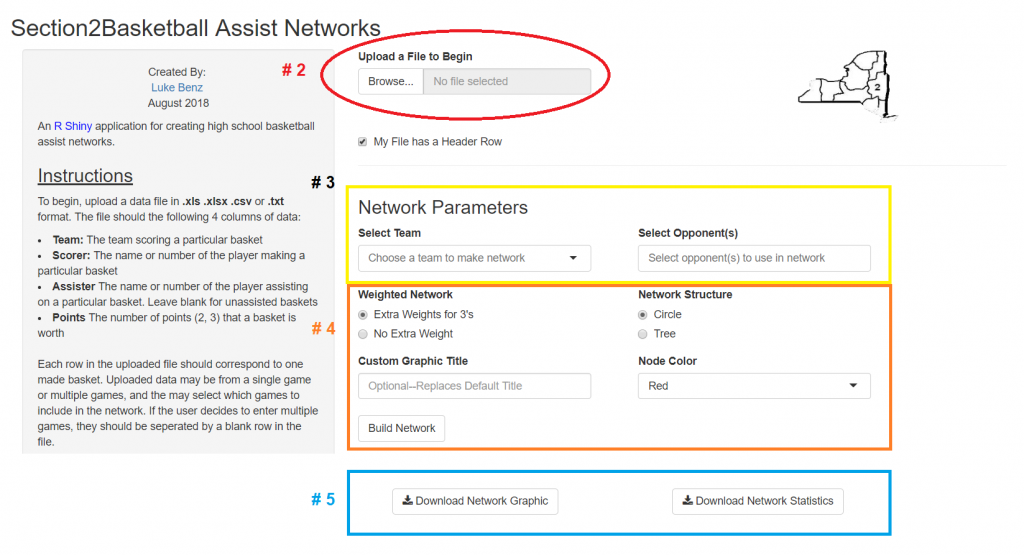
Here’s how to upload the team sheet to the network. There’s an itemized step by step display below as well.

1. Go to https://lbenz730.shinyapps.io/section_2_basketball_networks/


2. Click browse where it says upload file to begin. That will take you to your files and then find your assist network file and upload it. (If you have a header row like the above sample sheet leave the box checked that says : My file has a header row.


3. Under Network Parameters select the team that you’d like to run the report for then pick the opponent.


4. The final options before seeing the network display. First you have to choose having 3 pointers weighted more than 2 point FG assists or making them all the same weight. (Personally, I prefer the weighted 3 pointers as they are more points than a regular 2). Next choice is a circle or tree display. After that you have the option to add custom text that will show up on the top of the report. Last step before generating final result is picking the color you’d like the player’s circles to be. When that is complete click the Build Network button.


5. After the report is run the user has the option to Download Network Graphic and Download Network Statistics.

There are also instructions all they way down the left hand side of the page to help you as well as a glossary of the network stats that are generated like these:
 
Network Statistics
  • Assist Frequency Leader: Willie Brown (37.5%)
  • (Assisted) Shot Frequncy Leader: Lou Fedullo (50%)
  • Page Rank MVP: Lou Fedullo (0.364)
  • Hub Score MVP: Willie Brown (0.801)
  • Authority Score MVP: Lou Fedullo (0.911)
  • Team Clustering Coefficient: (0.273)
  • Team Percentage of Baskets Assisted: (50%)


Sample of a Tree Network

For any comments or questions on the assist network feel free to reach out on twitter at https://twitter.com/section2hoop or email Ed at This email address is being protected from spambots. You need JavaScript enabled to view it..

Two years ago we created a live scoring component to use for Section 2 Basketball games. It allows users to add scoring plays in real time using their electronic device. The feedback has been fantastic as it enables fans and media to follow game action as it happens. Live scoring can be used for any game that is currently in the database via the live scoreboard link HERE.


Here’s a sample game link to check out with screenshots below.


http://www.section2basketball.com/index.php?option=com_livecast&task=gameCourt&gid=1870


You’ll see the score on top with time and quarter. Below that you’ll find the play by play scroll to follow live action. On the right hand side of the page you’ll see team stats. We’ve also added “tweet” button for viewers to tweet out the live score/time/quarter to their own followers. (The twitter text is automatically generated with the live information)


Next you’ll see the player stats (below)


After the game is over and the user selects the end game button the system generates this cool game flow graph.


This component is great for fans that can’t come to the game. It also can be used to send to media outlets after the game. Just send the game link to your email contacts and you’re done. Here’s a link to a bunch of games that were covered last year using the live scoring component.


All you need to do is register a username on Section2basketball.com and enter your team information. Each team in Section 2 has their own team page with the ability to add roster, schedule, stats, etc. All games are located on the live scoreboard where fans can find your game.


Basketball coaches & AD's please add This email address is being protected from spambots. You need JavaScript enabled to view it. to your media contacts. Help us promote your team & players by sending along your roster (once it's set) & updated schedule. This year we are planning on adding daily box scores to the site if you send them to us.

We have been able to track down the league schedules but are looking for correction on dates that have changed and NON-LEAGUE games. You can check your schedule on your team page which you can access from the girls and boys standings pages.


Girls


Boys


(New Lebanon, NY)


Chatham beats New Lebanon to kickoff 2018-19 basketball season.


 -Chatham used pressure defense to spark a 15-0 run, over a 7 minute span between the 1st and 2nd quarters, to take control of the game and win 63-47.


-The Panthers placed 3 in double figures and led by as many as 35 points. They were paced in scoring by JayShawn Williams with 19 points, Kaleb Taylor with 16 points and Keon Armstrong with 11 points.


-New Lebanon fought back in the 4th quarter behind a 21-0 run to cut the lead to 14 points, however that would be as close as they would get in the 2nd half. The Tigers were led by Clayton Erickson with a game high 26 points. Cole Erickson added 8 points.


  Box Score with full play by play HERE:


Teams End 1Q Halftime End 3Q Final
Chatham 14 38 58 63
New Lebanon 6 20 27 47

Win % probability during the game.


 Full game video highlights

broken down by team & players.

(Click team logo)


Chatham   New Lebanon
5 3PT SHOOTING 7
6-16 FREE THROWS 10-29
38% FT % 34%
2 LEADS 1
35 LARGEST LEAD 4
     
  Top Scorers  
     
Chatham JayShawn Williams #11 19
Chatham Kaleb Taylor #1 16
New Lebanon Clayton Erickson #32 26
New Lebanon Cole Erickson #44 8


Chatham Lead Changes New Lebanon
2 *** Chatham: JayShawn Williams #11 2 PT FG MADE [1Q 07:36] *** 0
2 *** New Lebanon: Shawn Pawlows #42 3 PT FG MADE [1Q 07:24] *** 3
8 *** Chatham: JayShawn Williams #11 2 PT FG MADE [1Q 02:25] *** 6


Watch the complete game in minutes with score overlay to follow the action as it happened.


Game flow chart:


Elk banner for header

Section2Basketball.com Game Simulator


Tip: Click Simulate button to get a result between the two teams.
Tournament Simulator
Bracket Builder (Admin)
Cron Job Starts